
Card Sorting – fix your Information Architecture
Match information design to expectation of your users
Efficiently Create Cards and Categories
Create Cards and Categories by uploading excel or csv files or, simply key in using the keyboard
Closed, Open or Hybrid Card Sort
Pre-define Categories, ask users to do so or simply do a mix of both the options
Get Additional User Feedback
Get better feedback with facility of user input on their understanding of each Card
Simple Reporting To Ease Analysis
Simple reporting format with the essentials and facility to download results.
Reporting and Analysis
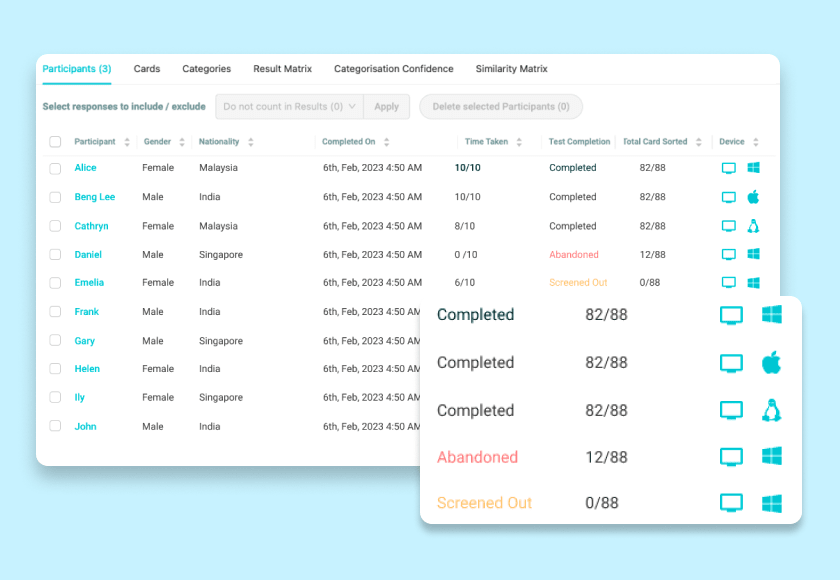
Participant analysis
The reports show detailed information about each participant, device types, abandon rates, nationality and gender
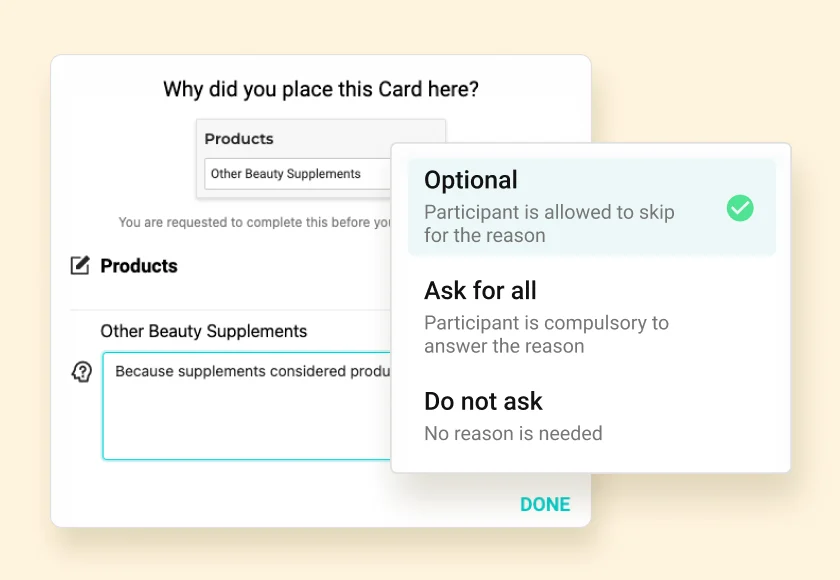
Qualitative user feedback
Specify the meaning of each Card and Category. Get participants to fill in information for each leftover Card to optimise the understanding
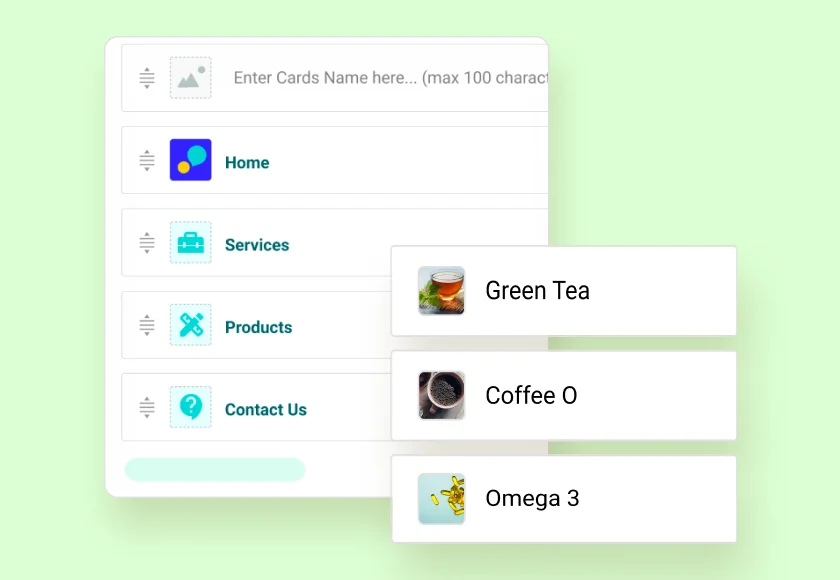
Images based Card Sort
Include images for each Card. Flexible image positioning to reflect your actual Menu accurately to the participants
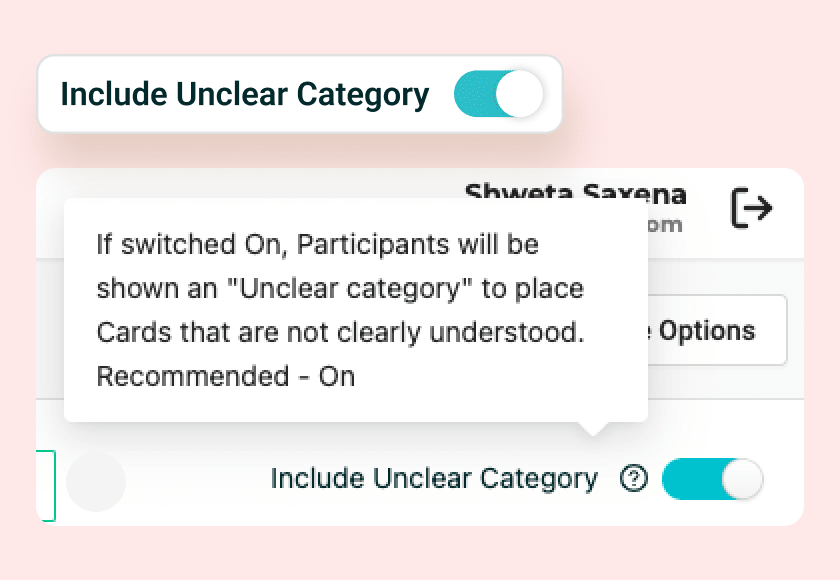
Trace confusing Cards
Identify confusing Cards with Card movement paths and their Categorisation score based on shifting among Categories by your participants
You are in great company













Outsource Usability Testing
Receive user Insights and design recommendations from our UX experts based on your user testing project Brief

UXArmy Panel
This pool of people has been built organically over a period spanning more than five years. Be sure to get participants from your target audience instantly. Dozens of psychographics attributes along with option to screen participants
Tech saviness
House type
Languages spoken
Home appliance ownership
Role in profession
Role in household
Travel habits
Job level
Internet consumption
Industry
Smartphone usage
and many more!
Start your Free Trial
Create and User Test for your Prototype or Website. No Credit Card needed.
Frequently Asked Questions
Here are answers to common questions you might have.
What is card sorting in UX design?
Card sorting reveals how users naturally group and categorize content, building a content hierarchy and naming conventions that suit users expectations.. In card sorting, participants sort “cards” (page titles/content) into groups matching their way of thinking. In open / hybrid card sort, participants are expected to name the grouping they create.
Open vs Closed vs Hybrid card sorting,which should I use?
These Card sort types are designed to meet specific needs of your content / information structuring goals.
- Closed Card Sort : Best suited when the category structure already exists and it needs validation. A tree test does a similar job and is recommended to be used instead.
- Open Card Sort : Used when starting to build information hierarchy from scratch. Since participants are allowed to create and name categories on their own, it opens up new ideas related to grouping and labelling of information. This is the most common and popular type of card sort among UX researchers and information architects.
- Hybrid Card Sort : Least used among the three types of card sort due to potentially biased results. The bias is caused due to some predefined categories based on which participants define the new categories too.
UXArmy platform supports all three types of Card sort with drag-drop of cards, category groups and analytics.
How many participants for reliable card sorting results?
Online Card sort is a quantitative exercise. Aim for 20-30 users per user segment.
It’s important to limit the number of cards as well to a recommended 30 – 40 cards per user else fatigue sets in after that.
Best card sorting tools 2025: UXArmy vs OptimalSort vs UserTesting?
UXArmy leads 2025 card sorting tools for teams needing integrated UX workflows, offering open/closed/hybrid sorting, image cards, 15+ languages, and 1,500 free self-sourced responses/month via pooled credits, covering card sorting + tree testing + surveys in one platform. OptimalSort excels in standalone IA with dendrograms/similarity matrices but lacks multi-method support, while UserTesting’s card sorting requires enterprise contracts.
UXArmy card sorting pricing?
Free plan: 1,500 self-sourced responses/month across card sorting + tree testing. No limits on the number of Cards or Card Sort tests that you create. Pro plans from $29/mo with pooled credits for all research methods.
Does UXArmy support image-based card sorting?
Yes, upload images per card with flexible positioning to mirror actual card labels.
Remote vs in-person card sorting, which is better?
Remote vs in-person card sorting, which is better?
Remote wins for scale (global recruitment, analytics) whereas in-person needs logistics e.g. research venue, preparation of cards. Manual gathering and sense-making of thoughts and card sort work done by each participant quickly adds up to the amount of work needed for analysis. This becomes a disadvantage in case of tight timelines, geographically dispersed participants or tight project budgets.
Can I add surveys to card sorting studies?
Yes, UXArmy supports pre/post survey questions with images + screening logic alongside card sorting, thus providing richer insights.
What are the limitations of card sorting?
Card sorting lacks real-world context. Why? Participants organize isolated content labels without the surrounding layout, visuals, or links that actually influence navigation. It also reveals only high-level groupings and not deeper hierarchies or full navigation paths. Large numbers of cards can cause participant fatigue, leading to multiple ambiguous “miscellaneous” categories, and those results can be difficult to interpret due to significantly differing mental models. Card sort does not take into account sub-categories, it creates only one level of categorisation.
Card sorting vs tree testing, when to use each?
Card sorting: Discover groupings / labels in alignment to how users think and see the world (supposed to be the first Step unless you have time trusted labelling and grouping of information and are only focused on findability).
Tree testing: Follows Card Sort to validate findability in a content hierarchy established via Card Sort. Therefore it’s almost always the second step while defining information architecture.
UXArmy pooled credits let you run both types of studies seamlessly.
Have more questions?
If you have any other questions that are not covered here, please don’t hesitate to reach out. We’re here to provide the information you need and ensure your experience with us is smooth and enjoyable.
Our User Testing Tools
Unmoderated Usability Testing
Iterate your Design based on Usability evaluations and automated recruitment of matching Test participants
Moderated Research
In-depth interviews with LIVE conversations and note taking to generate detailed Insights remotely
Card Sorting
Design your information architecture, menus and navigation flows
Tree Testing
Evaluate the Menu labels and Categories in your product Design
