

55% of users spend less than 15 seconds on a page before deciding to stay or leave.
If they do not find what they are looking for fast, they’re gone.
That’s where user behavior analytics tools come in. These tools track how users interact with your site or app; such as where they click, scroll and bounce.
Want a quick teaser?
Heatmaps can show where users focus their attention.
Session recordings can replay real user journeys.
A/B testing shows which version converts better.
Well, that’s not all about these tools. They do not just collect merely data alone, but they give you vital information on how to improve UX, fix bottlenecks and boost engagement.
Let’s dive into the best user behavior analytics tools of 2025 that’ll help you keep YOUR users hooked!
Top 5 Real-Time Analytics Tools
Every second, users are clicking, scrolling and navigating your site. But what if you could see exactly what they are doing right now?
Real-time analytics tools will offer you insight into user behavior as it happens.
What do they do? They track active sessions, highlight where users have dropped off, and help you spot issues instantly.
With the right tool, you can:
- Identify traffic spikes and drop-offs.
- Watch user interactions in real-time to catch friction points.
- Test and tweak your site while users engage with it.
Now, let’s keep reading to find out what some of the best real-time analytics tools are…
1. Google Analytics
Google Analytics is the OG of UX analytics tools. It’s the go-to choice for businesses of all sizes to track website traffic and user behavior analytics in real time.
What makes them stand out:
- Seamlessly integrates with other Google products.
- Scalable features for small teams and enterprises alike.
- Customizable dashboards to suit your specific needs.
Best features: Real-time tracking, advanced segmentation, and comprehensive event tracking to ensure you’re always in the know.
Pricing: Free for standard use; premium version (Google Analytics 360) starts at $50,000 per year.
2. Heap
Heap takes a “set it and forget it” approach to analytics. It automatically tracks everything users do no manual tagging required.
What makes them stand out:
- Tracks every interaction automatically, saving you hours of setup.
- Retroactive analysis lets you explore past trends.
- Perfect for teams looking to make sense of user behavior analytics without a steep learning curve.
Best features: Funnels, conversion tracking, and behavioral insights all without lifting a finger.
Pricing: Free tier available; quote for other tiers (Growth, Pro, Premier) available upon request.
3. Clicky
Clicky is all about simplicity and speed. It focuses on user engagement metrics in a way that’s easy to understand even if you’re not a data wizard.
What makes them stand out:
- Real-time heatmaps to visualize user clicks.
- Visitor-level insights for granular tracking.
- Privacy-focused, with built-in GDPR compliance.
Best features: A sleek dashboard that tracks bounce rates, time-on-page, and uptime monitoring in real time.
Pricing: Free for up to 3,000 daily pageviews; premium plans start at $9.99/month.
4. Matomoto
Matomo is for those who want control over their privacy. This open-source tool is like having Google Analytics, but with 100% ownership of your data.
What makes it stand out:
- Full control of your data no third-party access.
- Highly customizable for unique business needs.
- Designed with privacy at its core (GDPR and HIPAA compliant).
Best features: Real-time tracking, flexible dashboards, and integrations for a tailored analytics experience.
Pricing: Free for self-hosted setups; cloud plans start at $21.27/month.
5. FoxMetrics
FoxMetrics is all about getting personal. It delivers user-level data in real time, so you can truly understand your audience.
What makes it stand out:
- Tracks individual user behavior analytics for hyper-targeted insights.
- Offers real-time audience segmentation for smarter campaigns.
- Fully customizable dashboards that adapt to your needs.
Best features: Granular tracking, campaign segmentation, and smooth integration with marketing tools.
Pricing: Plans start at $399/month, with custom pricing for enterprise users.
Top 5 User Engagement Tracking Tools

Engagement isn’t just about getting clicks; it’s about building relationships that last.
User engagement tracking tools help you uncover how users interact with your product over time.
They help you spot trends, understand habits, and turn one-time visitors into loyal fans.
Ready to build connections that last?
1. Mixpanel
Mixpanel tracks every interaction and turns it into insights you can act on. From user flows to conversions, it’s all there.
What makes it stand out:
- Advanced user behavioral analytics for deep user insights.
- Real-time data tracking and reporting.
- User-friendly interface with customizable dashboards.
Best features: Mixpanel excels at event tracking, funnel analysis, and A/B testing. Its cohort analysis lets you track user groups over time, giving you a clear view of retention.
Pricing: Free plan available with up to 20M events/month. Paid plans start at $25/month, with custom pricing available for enterprise needs.
2. Amplitude
Amplitude doesn’t just show you data it tells a comprehensive story of your users. From their first click to their last, you’ll know exactly how they interact with your product.
What makes it stand out:
- In-depth user journey analysis to understand user interactions.
- Advanced segmentation to identify key user cohorts.
- Real-time analytics with a focus on user behavior patterns.
Best features: Funnel analysis, retention tracking, behavioral cohorting, and user path analysis.
Pricing: Free plan with essential analytics features available; custom pricing for advanced plans upon request.
3. Pendo
Ever wish you knew exactly how users feel about your product?
Pendo combines analytics with user feedback to give you the full picture. It’s almost like having the ability to read your users’ thoughts and behaviors.
What makes it stand out:
- Seamless integration of user behavior analytics and user feedback.
- In-app messaging and guides to enhance user experience.
- Detailed feature usage tracking to inform product decisions.
Best features: Pendo shines with its in-app surveys, NPS scoring, and detailed feature adoption metrics. The in-app messaging helps onboard users and highlight new features effortlessly.
Pricing: Custom pricing based on your product needs.
4. Intercom
Intercom is a versatile platform that combines user engagement tracking with customer communication tools.
It’s like having a conversation with your users, but backed by data.
What makes it stand out:
- A human-quality AI chatbot that handles support with personalized, conversational responses.
- Omnichannel support where you can engage users via messenger, email, live chat, and more all from one place.
- An integrated help center, where you can create a self-serve hub to empower users and reduce repetitive queries.
Best features: Intercom’s unified inbox, proactive messaging workflows, and real-time engagement tools keep your users coming back.
Pricing: Starts at $29/month, with add-ons for advanced features.
5. UserLeap
UserLeap pairs real-time user feedback with user behavioral analytics to uncover the “why” behind your metrics.
What makes it stand out:
- Real-time micro-surveys for immediate user feedback.
- Combines qualitative and quantitative data for deeper insights.
- AI-driven analysis to identify trends and sentiments.
Best features: Targeted surveys, sentiment analysis, and actionable recommendations help you see the bigger picture of user experience.
Pricing: Custom pricing available upon request.
Best 6 A/B Testing Tools
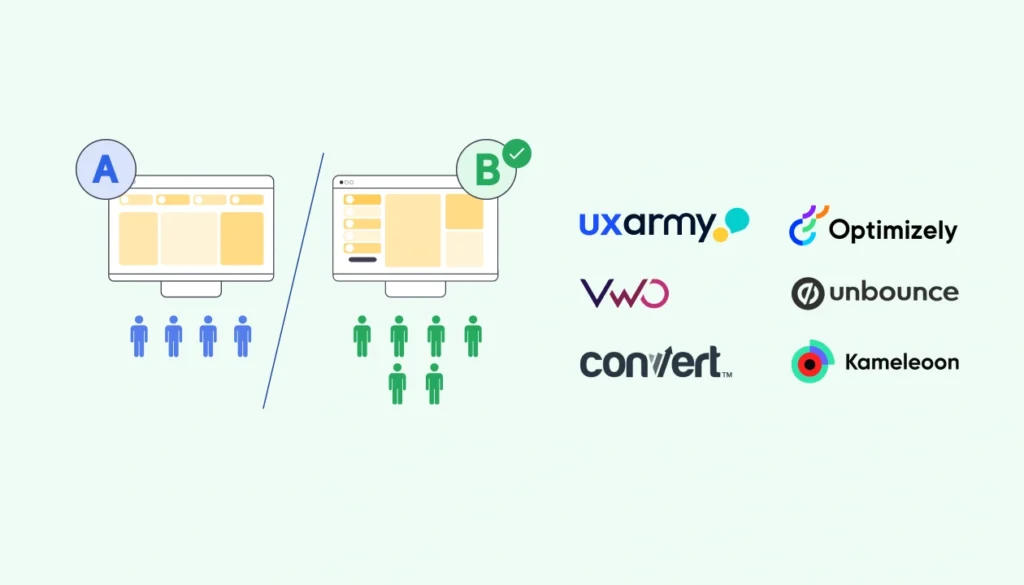
A/B testing is like putting two ideas into the ring and letting your users decide the winner.
It’s the ultimate way to test what works (and what doesn’t).
Ready to explore the top tools to optimize your product?
Let’s dive in!
1. UXArmy
UXArmy specializes in usability testing, allowing you to test and validate design options with real users. It’s perfect for getting actionable insights quickly.
What makes it stand out:
- Combines A/B testing with usability testing for deeper insights.
- Remote testing with real users for authentic feedback.
- Professional services like research guidance and a localized pool of participants for recruitment.
Best features: Heatmaps, remote usability testing, task-based evaluations, and detailed user feedback.
Pricing: Free plan forever, Paid plans starting from $99/month. Learn more about UXArmy’s plans & pricing
2. Optimizely
Optimizely is a leader in A/B testing, offering an intuitive platform to design, run, and analyze experiments that drive results.
What makes it stand out:
- Multivariate testing alongside A/B testing for robust experimentation.
- Personalization features to tailor user experiences.
- Comprehensive analytics for data-driven decisions.
Best features: Feature experimentation, server-side testing, and integrations with popular platforms like Google Analytics.
Pricing: Contact Optimizely for pricing tailored to your needs.
3. VWO (Visual Website Optimizer)
VWO provides a full suite of tools for A/B testing, including heatmaps, surveys, and session recordings, to derive user behavior analytics comprehensively.
What makes it stand out:
- Includes behavior insights like heatmaps and session replays.
- Behavioral targeting for personalized experiments.
- A visual editor for coding-free test setups.
Best features: Multivariate testing, session recordings, and customer feedback surveys make it a well-rounded tool for optimization.
Pricing: Plans start at $199/month.
4. Unbounce
Unbounce is perfect for landing page optimization, allowing you to create and test custom pages to boost conversions.
What makes it stand out:
- Drag-and-drop builder for quick test setups.
- AI copywriting to enhance landing page effectiveness.
- Pop-ups and sticky bars to drive more interactions.
Best features: Landing page A/B testing, smart traffic redirection, and conversion intelligence insights.
Pricing: Plans start at $90/month.
5. Convert
Convert offers powerful A/B testing capabilities combined with multivariate testing and personalization, ideal for teams focused on precision.
What makes it stand out:
- Advanced audience targeting for precise experiments.
- Real-time reporting to measure impact immediately.
- Privacy-first approach, with GDPR and CCPA compliance.
Best features: Multivariate testing, seamless platform integrations, and robust reporting tools.
Pricing: Starts at $699/month.
6. Kameleoon
Kameleoon blends A/B testing with AI-powered personalization, helping you deliver tailored experiences that convert.
What makes it stand out:
- AI-driven personalization to adapt in real-time.
- Supports feature experimentation and mobile app testing.
- Scalable for enterprise-level needs.
Best features: Predictive targeting, cross-device testing, and dynamic personalization for websites and apps.
Pricing: Contact Kameleoon for a custom quote.
Top 6 Heatmap Tools
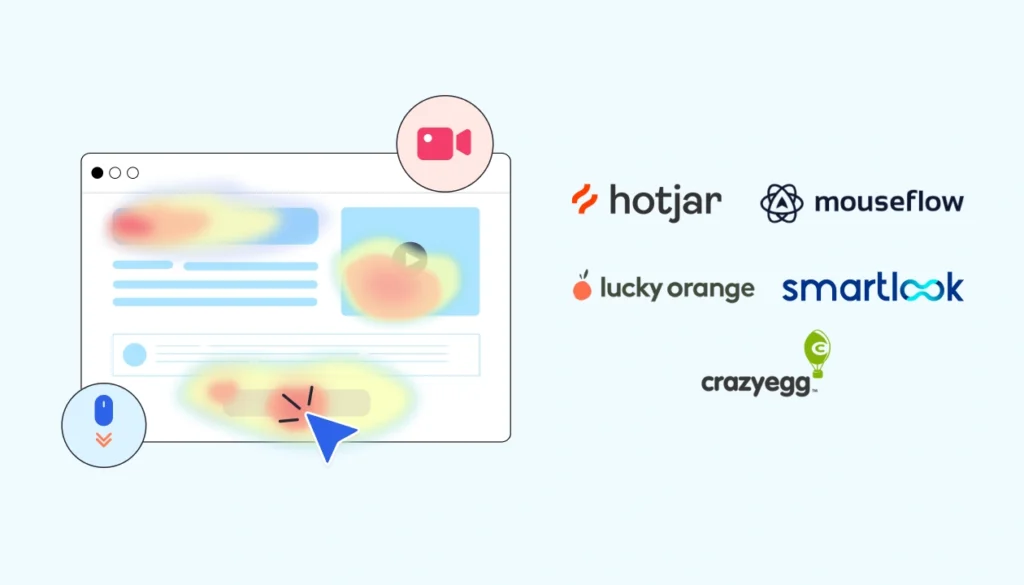
Want to visualise where the ‘hot’ spots are on your website? Heatmap tools serve as thermal goggles for you where they uncover where users click, scroll and linger.
What’s the advantage of this?
You get to spot opportunities to improve user experience.
Let’s explore some of the best tools for heatmap below:
1. Hotjar
Hotjar allows you to observe, ask and engage users through combining heat-maps, session recording and contextual feedback.
What makes it stand out:
- Combines heatmaps with session recordings for in-depth analysis.
- Feedback polls and surveys to capture user opinions.
- Intuitive interface with easy integration across platforms.
Best features: Capturing user’s clicks, moves and scrolls in heatmaps; session recordings; feedback polls; and form analysis.
Pricing: Free basic plan available. Paid plans start at $39/month.
2. Crazy Egg
Crazy Egg not only gives you detailed heatmaps but also lets you test different ideas through built-in A/B testing, making it a huge favourite amongst websites.
What makes it stand out:
- Confetti reports show clicks by referral sources or user segments through heatmap filters.
- Scrollmaps highlight how far users scroll on your pages.
- A/B testing to experiment with page variations.
Best features: Heatmaps, scrollmaps, confetti reports, A/B testing, and user segmentation.
Pricing: Starts at $99/month. Includes a 30-day free trial.
3. Lucky Orange
Lucky Orange takes heatmaps a step further by integrating live chat and session recordings, letting you connect with users in real-time.
What makes it stand out:
- Live chat and surveys to interact with visitors in real-time.
- Dynamic heatmaps that adapt to website changes.
- Conversion funnels to track user drop-off points.
Best features: Precise clicks in heatmaps, session recordings, live chat, and conversion funnels.
Pricing: Free plan available. Paid plans start at $39/month with a 7-day free trial.
4. Mouseflow
Mouseflow is all about tracking the full user journey from day 1. It offers heatmaps, session replays, and conversion funnels to optimize user flow.
What makes it stand out:
- Automatically records all user sessions no sampling.
- Offers six types of heatmaps, including click, scroll, geo, and attention maps.
- Form analytics to improve your conversion rates.
Best features: Heatmaps, session recordings, feedback surveys, and form analytics.
Pricing: Paid plans start at $39/month.
5. Smartlook
Smartlook bridges heatmaps with crash reports, making it ideal to track areas for improvement.
What makes it stand out:
- Event tracking for detailed interaction analysis.
- Retention tables to understand user return rates.
- Works seamlessly across websites and mobile apps.
Best features: Heatmaps, session recordings, event tracking, funnels, and retention analysis.
Pricing: Free plan available. Paid plans start at $55/month.
6. UXArmy
UXArmy also offers heatmaps to help you visualize user behavior analytics.
By combining heatmaps with usability testing, UXArmy lets you track clicks, scrolls, and navigation patterns, giving you the insights needed to refine your website or app.
Top 5 Session Recording Tools

Ever wish you could sit beside your users and watch how they navigate your site?
Session recording tools make that possible.
They let you replay user interactions, showing exactly where they click, scroll, and stumble.
Let’s check out the best tools to help you identify pain points better.
1. UXArmy
UXArmy gives you a front-row seat to your users’ journeys. With its session recording and usability testing features, finding out what works and what doesn’t will be a breeze.
What makes it stand out:
- Session recordings show real-time navigation paths and behavior.
- Usability testing paired with recordings offers context behind user actions.
- AI-generated summaries make reviewing recordings faster.
Best features: High-quality session replays, video-based feedback, task-based testing, and seamless Figma integration.
Pricing: Paid plans start at $99/month
2. FullStory
FullStory is your go-to for crystal-clear session replays. It captures everything users do, from clicks to rage clicks, and even errors, helping you optimize your experience.
What makes it stand out:
- Captures every detail of user interactions; no sampling.
- GenAI automatic summaries of user sessions.
- Customise privacy settings to capture necessary and relevant data.
Best features: Session replays, frustration detection, error tracking, and conversion funnel insights.
Pricing: Free plan available for small teams. Paid plans start at $395/month.
3. Inspectlet
Inspectlet helps you analyze session recordings alongside form analytics and heatmaps, so you get a full picture of user behavior analytics.
What makes it stand out:
- Records everything mouse movements, clicks, and key interactions.
- Integrates session recordings with form analytics to identify friction in forms.
- Powerful filtering to find recordings of the exact visitors you have in mind.
Best features: Session recordings, form analytics, real-time analytics, and heatmaps.
Pricing: Free plan available. Paid plans start at $39/month.
4. Mouseflow
Mouseflow captures session recordings automatically and pairs them with heatmaps and conversion funnels, making it a powerhouse for behavioral insights.
What makes it stand out:
- Friction score to inform you on where the problems are.
- Protects privacy with CCPA and GDPR.
- Custom-defined groups to uncover source-specific insights.
Best features: Session recordings, funnel analysis, heatmaps, and click tracking.
Pricing: Free 14-day trial available. Paid plans start at $39/month.
5. Clarity
Microsoft’s Clarity is the perfect tool for anyone looking for robust session recording features without breaking the bank it’s free!
What makes it stand out:
- Unlimited session recordings, even for high-traffic sites.
- Automatically flags rage clicks and dead clicks for faster analysis.
- Summarised recordings with Copilot AI
Best features: Being able to stop at any point during a recording to see heatmaps.
Pricing: Free forever.
Top 5 Conversion Tracking Tools

The most important step of it all: conversion.
Conversion tracking tools help you track actions that can lead to conversions, helping you fine-tune your sales funnel and boost results.
Let’s take a look at some of the best!
1. Funnel.io
Funnel.io aggregates data from multiple channels into one place, so you can see the full picture of your marketing efforts. It’s like having an all-knowing dashboard for conversions.
What makes it stand out:
- Pulls data from 500+ marketing channels.
- Automated reporting for stress-free updates.
- Connects directly to visualization tools like Google Data Studio and Tableau.
Best features: Multi-channel conversion tracking, real-time reporting, and seamless integration with analytics platforms.
Pricing: Free plan available. Custom pricing for enterprise paid plans.
2. Kissmetrics
Need a tool to fine-tune your marketing strategy? Look no further.
What makes it stand out:
- Tracks user activity across multiple sessions and devices.
- Advanced cohort analysis to identify retention trends.
- Actionable insights with clear, visual reporting on user behavior analytics.
Best features: Conversion tracking, behavior segmentation, funnel analysis, and retention reporting.
Pricing: Paid plans start at $299/month for small teams. Custom pricing available for large teams.
3. Segment
Segment collects and organizes data from different sources, giving you a detailed view of your user journey.
Quite a powerhouse for conversion tracking and customer insights.
What makes it stand out:
- Integrates with 300+ tools for effortless data flow.
- Real-time data collection and user behavior tracking.
- Perfect for building customer profiles and targeting campaigns.
Best features: Data aggregation, event tracking, customer segmentation, and real-time analytics.
Pricing: Free plan available for small teams. Paid plans start at $120/month.
4. Google Tag Manager
Google Tag Manager simplifies tracking setup by letting you manage tags without touching your website code. It’s ideal for tracking conversions across platforms.
What makes it stand out:
- Easy-to-use interface for managing all your tags in one place.
- Real-time preview mode to ensure accuracy before publishing.
- Works seamlessly with Google Analytics and other tools.
Best features: Conversion tracking tags, event triggers, and cross-platform integration.
Pricing: Free to use.
5. Funnelytics
Funnelytics is like a GPS for your sales funnel.
It visualizes user journeys so you can see how they move through your site and where they drop off.
What makes it stand out:
- Whiteboard funnels strategies through a drag-and-drop interface for easy funnel mapping.
- Real-time analytics layered onto your funnels.
- Ability to forecast optimisation opportunities.
Best features: Funnel visualization, conversion tracking, and monitoring KPI updates.
Pricing: Free trial available. Paid plans start at $79/month.
How to Choose the Right User Behavior Analytics Tool for Your Team
Picking a right user behavior analytics tool is akin to finding a pair of right prescription glasses.
It needs to help you see and identify whatever you need at one glance and be comfortable to use.
Let’s take a look at some tips to help you find the right one:
1. Define Your Team’s Needs
Every team is different, and so are their analytics requirements. Start by asking:
- What’s your focus? Are you looking to track user behavior, test new features, or optimize conversion rates?
- What’s your team size? Smaller teams might benefit from intuitive tools, while larger teams may need robust solutions with advanced features.
- What’s your skill level? If your team isn’t technically inclined, look for tools with user-friendly interfaces and minimal setup.
2. Set a Budget
Analytics tools come in all price ranges from free options like Microsoft Clarity to premium platforms like FullStory. Consider:
- What’s your budget? Free or freemium tools are great for startups, while established teams may want to invest in enterprise-grade tools.
- Value vs. cost: Sometimes, a slightly higher price tag comes with features that save time and increase productivity.
Pro Tip: Many tools offer tiered pricing based on features or usage, so ensure the pricing aligns with your needs without overspending.
3. Focus on Specific Goals
Clarify what you need the tool to do:
- If tracking user behavior is your top priority, tools like Mixpanel or Amplitude are great choices.
- If testing and optimizing are critical, look at tools like Optimizely or Crazy Egg.
- For visual insights, heatmap tools like Hotjar or Mouseflow can provide actionable data.
Pro Tip: Avoid tools with features you don’t need it can lead to unnecessary costs and complexity.
4. Trial and Error
Analytics tools aren’t one-size-fits-all. Take advantage of free trials and freemium plans to see how each tool fits into your workflow.
Run small-scale tests to evaluate:
- How easy is the tool to set up?
- Does it generate the insights you need?
- Does it integrate well with your team’s processes?
Pro Tip: Involve multiple team members during testing to ensure the tool meets everyone’s needs, from marketers to developers.
5. Prioritize Integration
A tool that doesn’t play well with others can slow you down. Look for tools that:
- Integrate seamlessly with existing systems like CRMs, email platforms, or data visualization tools.
- Offer API support for custom workflows.
- Sync easily with your data storage or reporting tools like Google Analytics or Tableau.
Pro Tip: Strong integrations save time and reduce manual work by automating data flows.
6. Get Team Buy-In
Even the most advanced tools won’t deliver results if your team doesn’t use them. Involve your team early in the decision-making process to ensure the tool is intuitive and meets their needs.
Discover What Your Users Really Want with UXArmy
Imagine having one tool that does it all session recordings, usability testing, feedback collection, and data analysis.
That’s UXArmy for you.
A go-to platform for understanding your users on a deeper level, without the hassle of juggling multiple tools.
UXArmy simplifies the user behavior analytics process with features designed to save time and deliver actionable insights.
Whether you’re testing prototypes, gathering feedback, or analyzing user journeys, UXArmy has your back.
Why UXArmy?
- Usability Testing Made Simple: Test prototypes, websites, or apps with real users to uncover friction points.
- Actionable Feedback: Collect meaningful user insights through video feedback, surveys, and more.
- AI-Driven Analysis: Let smart algorithms summarize findings so you can focus on design improvements.
Don’t believe us? Try UXArmy for yourself and see how easy UX design feedback can be.
Frequently asked questions
What are behavioral analytics tools?
Behavioral analytics utilizes a combination of big data analytics and artificial intelligence on user behavioral data to identify patterns, trends, anomalies, and other useful insights to enable appropriate actions.
What are UEBA tools?
User and entity behavior analytics, or UEBA is a type of security software that uses behavioral analytics, machine learning algorithms and automation to identify abnormal and potentially dangerous user and device behavioru. UEBA gives teams better security insights and enhances zero trust security programs.
What is user behavior analytics?
In cybersecurity, user behavior analytics (UBA) is the use of data analytics, artificial intelligence and machine learning to track the behavior of users in a network, model their normal behavior patterns and detect deviations that might signify security threats.
What is the difference between Splunk UBA and UEBA?
Here are some of the main differences between UBA and UEBA: Scope: UBA focuses on user interactions only, while UEBA covers both user and entity behavior. Data: UBA relies on log data only, but UEBA integrates data from multiple sources, such as packet capture data, flow records, and other datasets.
What are behavioral tools?
Behavioral analytics tools help us collect and interpret user data to improve services and security. Tools like behavioral analytics from Fullstory can track and analyze how people behave on your website or product, digging into what users want and struggle with.
What are the four types of data analytics tools?
The four types of analytics maturity descriptive, diagnostic, predictive, and prescriptive analytics each answer a key question about your data’s journey.
Does Splunk have UEBA?
Splunk Enterprise Security (ES) brings customers a brand new experience with a unified SecOps platform seamlessly integrated with agentic AI, SOAR, UEBA, and SIEM.
