
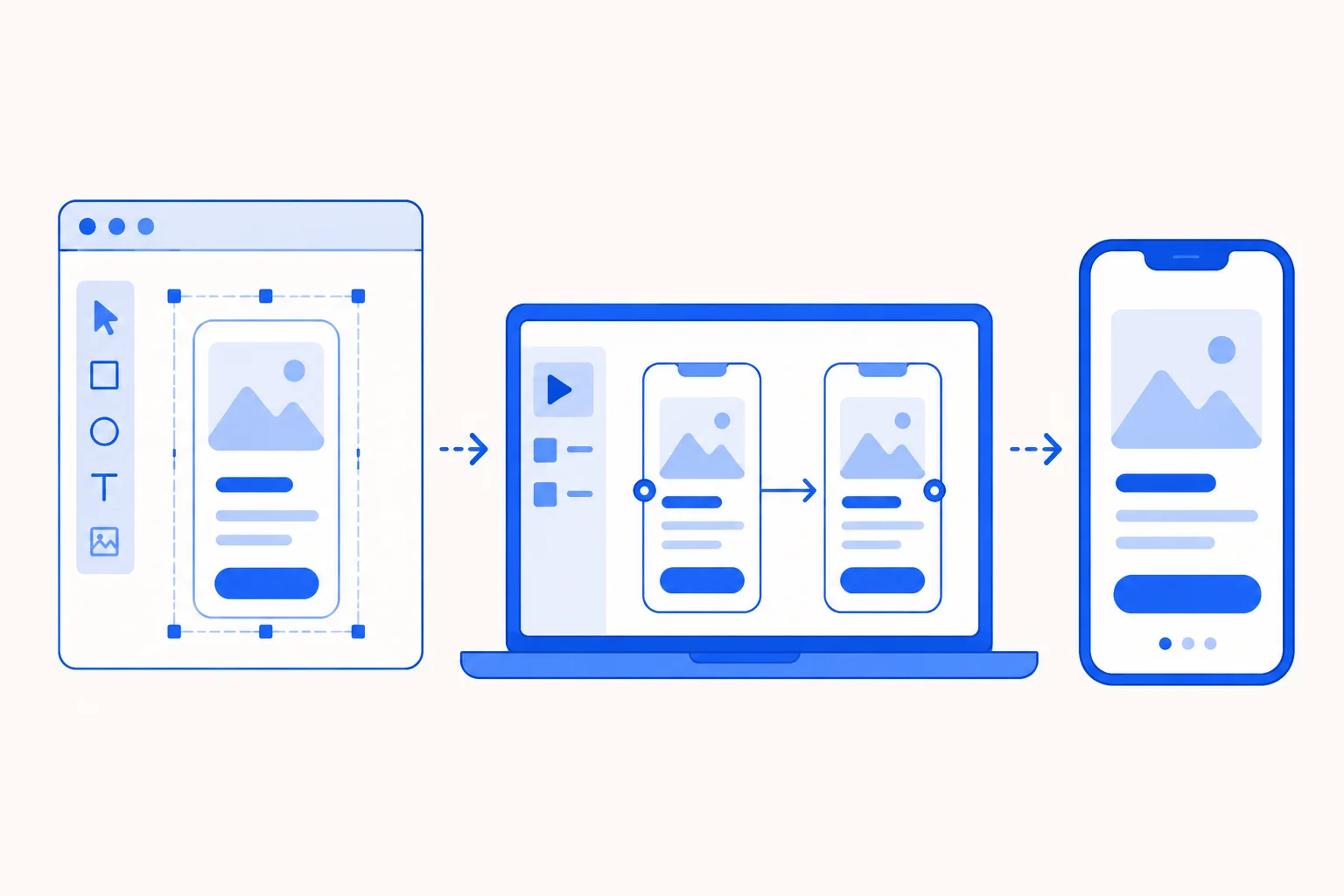
Most roundups of UI prototyping tools compare features and stop there. They leave out whether the prototype actually works for real users. That is the gap UXArmy exists to close.
UI prototyping tools let designers, developers, and product managers turn static screens into clickable, testable models. Figma covers most teams’ all-in-one needs. Axure RP handles complex conditional logic. ProtoPie adds sensor-based interactions that most UI prototyping tools skip entirely.
The list below includes only tools confirmed active as of July 2026. Active means each one still sells licenses or offers a working free plan, with its own site or support pages showing updates within the past six months.
Key Takeaways
- Figma remains one of the most widely adopted UI prototyping tools for teams that want design and prototyping in one file, with real-time multiplayer editing built in.
- Axure RP is the strongest UI prototyping tool pick for enterprise teams that need conditional logic and dynamic content without writing code.
- ProtoPie stands out among UI prototyping tools for sensor-based, multi-device interactions, like a phone tap that triggers a screen change on a paired smartwatch.
- UXArmy is not a prototyping tool itself, but its direct Figma import lets teams run real user tests on a prototype before a single screen reaches development.
| Tool | Best For | Fidelity Level |
| Figma | All-in-one design and prototyping | Low to high |
| Axure RP | Complex, logic-driven enterprise flows | High |
| Sketch | macOS-based vector design | Medium to high |
| Miro | Cross-functional planning plus prototyping | Low to medium |
| Balsamiq | Fast, low-fidelity wireframing | Low |
| ProtoPie | Sensor-based, multi-device interactions | High |
| Framer | Code-based, production-ready prototypes | High |
| Justinmind | Responsive, breakpoint-based prototypes | Medium to high |
| UXPin | Code-component prototypes for dev handoff | High |
Once you’ve picked a tool from this table, see the UXArmy section below for how to test whatever you build with real users.
1. Figma
Figma covers both design and prototyping in a single file. That is why most teams that once split work between a design tool and prototyping tool now do everything in Figma. Real-time multiplayer editing lets a designer, a product manager, and a developer watch the same prototype update in real time. Nobody has to export a single screen.
Picture three designers on the same team opening the identical file at once. One adjusts a button’s tap target. Another tests the flow on a phone mockup. The changes appear for both without anyone hitting save.
- Free plan available for individuals and small teams
- Built-in prototyping mode, no separate app needed
- Plugin ecosystem covering animation, accessibility checks, and more
- Browser-based, works on Windows, macOS, and Linux
2. Axure RP
Axure RP handles conditional logic that trips up most UI prototyping tools. Picture a form that changes its next screen based on what a user selects. Enterprise teams that need dynamic content and detailed spec documents in one file tend to land on Axure RP.
Picture a team building an insurance claims form with a dozen branching paths. One Axure RP file handles the logic. It generates the developer documentation alongside it, instead of mocking up every combination as separate screens.
- Widget-level interaction logic without custom code
- Built-in documentation and spec generation for developer handoff
- Axure RP 11 added new style-effect and transform tools for animating widgets
- Steeper learning curve than most drag-and-drop tools
Axure RP 11’s new tools let a prototype scale, rotate, or transition between states without custom code, shipped in March 2026.
3. Sketch
Sketch stays macOS-only. That narrows its audience but keeps its vector editing tools sharp for teams fully on Apple hardware. Design agencies that standardized on Mac years ago often keep Sketch. Switching means retraining on an entirely different toolset.
Picture a small design studio that standardized on Sketch years ago. Their plugin library and handoff process to Zeplin are built around it. A switch to Figma would mean rebuilding years of internal tooling.
- Vector-based editing with a large plugin ecosystem
- Interactive prototyping is built into the same file as the design
- Integrates with Zeplin and other handoff tools
- macOS only, no Windows or Linux version
Sketch has held on to a loyal Mac-first design community even as browser-based tools have gained ground.
4. Miro
Miro treats prototyping as one piece of a bigger canvas, not a separate step. A team can map user journeys, add research notes, and build clickable wireframes on the same board. Cross-functional teams that include product managers and engineers tend to prefer Miro. Everyone already works on the same canvas.
Picture a product trio sketching a new onboarding flow next to their user research findings during a sprint planning session. By the end of the meeting, they have a clickable wireframe sitting beside the data that justified it. No separate export is required.
- AI-generated wireframes from text prompts, then editable on canvas
- Infinite canvas for connecting research, planning, and prototypes
- Real-time collaboration across product, design, and engineering
- Less suited to high-fidelity, pixel-perfect prototypes
Miro added AI wireframe generation to its prototyping toolkit as collaborative, canvas-based design tools gained ground through 2026.
5. Balsamiq
Balsamiq keeps every wireframe looking deliberately unfinished. The hand-sketched style stops stakeholders from commenting on colors instead of structure. Teams in the earliest stage of a project use Balsamiq for exactly this reason. Its rough look keeps feedback focused on layout and flow.
Teams skip Balsamiq once a project moves past early concept work, since its wireframes are not built to survive into detailed design. Its value sits almost entirely in the first week or two of a project, not the weeks that follow.
- Deliberately low-fidelity, sketch-style interface
- Drag-and-drop UI components, no design skill required
- Fast to build, faster to throw away and redo
- Not suited for high-fidelity or interactive prototypes
Balsamiq has marketed its sketch-style approach as a deliberate choice since its earliest versions. Polished mockups, the company argues, invite the wrong kind of feedback too early.
6. ProtoPie
ProtoPie builds interactions that most UI prototyping tools cannot touch. Picture a phone shake that triggers a notification on a paired smartwatch screen. Teams designing for wearables, voice interfaces, or sensor hardware reach for ProtoPie for exactly this reason. Its logic supports device inputs beyond a mouse click.
Picture a wearables team prototyping a fitness app where a wrist flick opens the workout summary screen. The prototype responds to a real motion sensor instead of a simulated tap. Test participants behave more realistically with this kind of prototype than with lower-fidelity ones, according to Nielsen Norman Group’s research on prototype fidelity.
- Sensor-based interactions: motion, voice, location
- Logic-based conditions and variables without code
- Cross-platform testing on real devices, not just browser previews
- Steeper setup than simpler click-through tools
ProtoPie is one of the few UI prototyping tools built specifically for interaction fidelity, syncing sensors and multiple devices inside the same prototype.
7. Framer
Framer blends visual design with real code. A prototype built in Framer can behave like production software instead of a mockup pretending to be one. Teams that need to test actual component behavior reach for Framer over lighter click-through tools.
Picture a marketing team prototyping a new landing page with a working email signup field and animated scroll effects. Leadership reviews it and sees something close to the finished site. It is not a series of disconnected screens.
- Combines visual design with real code components
- Can publish a working prototype as a live site
- Popular for both app UI and marketing pages
- Steeper learning curve for teams unfamiliar with code concepts
Framer expanded from a code-based prototyping tool into a broader design and publishing platform through product updates in 2026.
8. Justinmind
Justinmind handles responsive breakpoints without custom code. One prototype adapts automatically across a phone, tablet, and desktop layout. Teams building enterprise software with dense forms often pick Justinmind. Its liquid layouts hold up better than simpler tools under that kind of complexity.
Justinmind’s responsive engine matters most for internal tools and dashboards, where a single interface must work across a phone, a tablet, and a widescreen monitor without three separate design files. Teams without that specific responsive complexity rarely need Justinmind over a simpler tool.
- Codeless, responsive, and adaptive layouts
- Strong fit for dense, data-heavy enterprise interfaces
- Simulated dynamic user actions for realistic usability testing
- Smaller plugin ecosystem than Figma or Sketch
Justinmind has positioned itself around responsive, enterprise-grade prototyping, expanding well past its original wireframing roots.
9. UXPin
UXPin’s Merge feature pulls real React components directly into the design file. The prototype that a stakeholder clicks through uses the same code that ships to production. Design teams working closely with engineering choose UXPin for exactly this reason. It closes the gap between what gets designed and what gets built.
Picture a product team building an account settings screen using their own component library inside UXPin. Developers receive the handoff and see prototypes built from the same code they will deploy. It is not a visual approximation of it.
- Merge feature imports real code components into the design file
- Built-in accessibility checks aligned with WCAG guidelines
- States, variables, and conditional interactions for realistic prototypes
- Best suited to teams with an existing component library
UXPin has built its positioning around closing the design-to-development gap. Merge is the feature that sets it apart from purely visual UI prototyping tools.
UXArmy: Test Any Prototype From This List With Real Users
UXArmy is not a UI prototyping tool. It is the platform that tells you whether the prototype you already built actually works. Teams that connect a Figma prototype directly to UXArmy report a 60% reduction in test setup time. There is no exporting of screens or rebuilding of flows in a separate app.
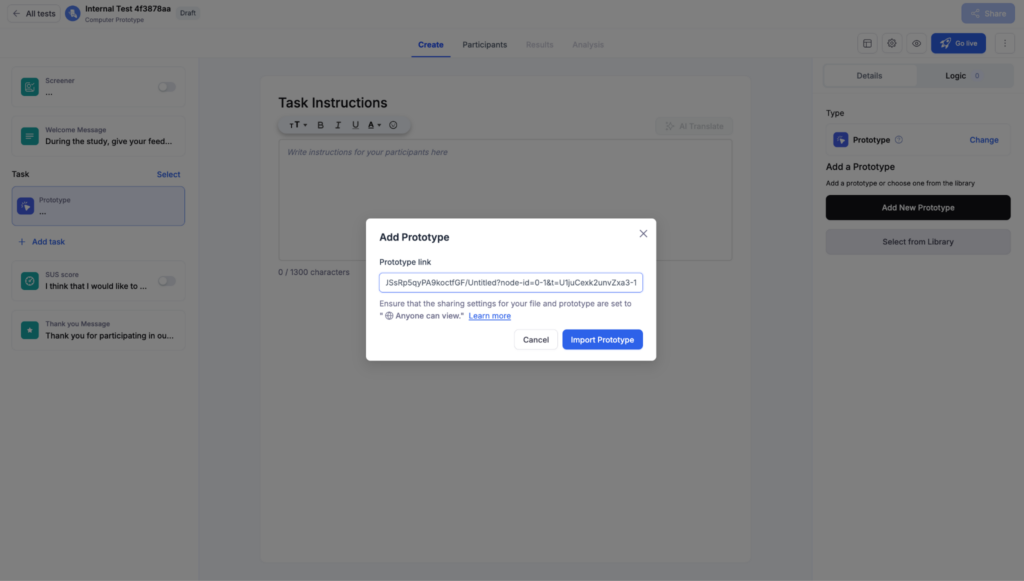
Picture a product designer who just finished a checkout flow in Figma. A handful of recruited users click through it soon after. A heatmap shows exactly where several of them paused before tapping Confirm Order.
- Direct Figma prototype import, no plugin or file export required
- Task-based testing with screen recording, click paths, and heatmaps on the live prototype
- DeepDive® moderated sessions for watching a designer’s reasoning out loud
- Works alongside prototypes exported as images from Sketch, Axure RP, or Adobe XD
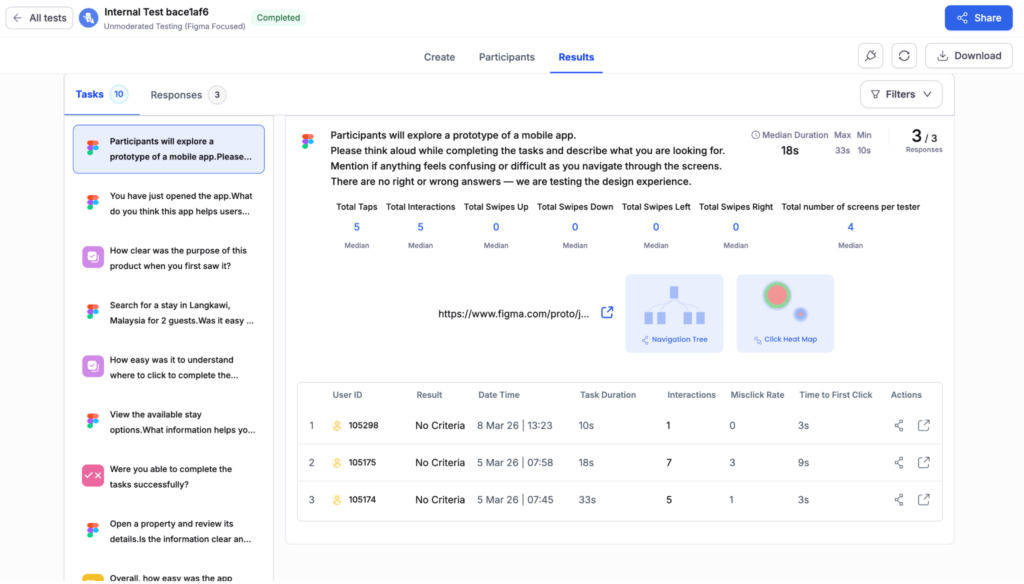
Sample UXArmy results dashboard from a Figma-based unmoderated test.
UXArmy reported a 60% setup time figure across customers using its Figma integration.
Conclusion
The right UI prototyping tool for your team is rarely the one with the longest feature list. It is the one nobody fights to keep using six months from now. Figma covers most teams by default. Axure RP and Justinmind handle logic-heavy enterprise work. ProtoPie and Framer push into interactions that a simple click-through cannot fake.
None of them answers the question that actually decides whether a design ships successfully. Does it work for the people who will use it? UXArmy’s approach to design decisions starts exactly where prototyping tools stop. It watches real users move through whatever your team built, rather than guessing based on a design review. Which of your current prototypes has never actually been tested by someone outside your own team?
Ready to Test Your Next Prototype With Real Users?
Picking a UI prototyping tool only gets you halfway to a design that actually works. Run a quick first-click or 5-second test on your current prototype before it goes any further into development. See what real users notice in the first few seconds.
FAQs on UI Prototyping Tools
What are UI design tools?
UI design tools are software used to create the visual layout, colors, typography, and components of an interface, such as Figma and Sketch. Prototyping tools extend that work by adding clickable interactions. A design behaves like a real product before development starts.
What is a UI prototype?
A UI prototype is a clickable model of an app or website screen that simulates real interactions. It gets built in tools like Figma or Axure RP before code is written, letting a team test navigation and flow with real users while changes still cost minutes, not sprints.
What are the 4 types of prototypes?
The four common types are paper prototypes, low-fidelity wireframes, high-fidelity prototypes, and functional prototypes. Figma or ProtoPie build high-fidelity ones, while Framer codes functional ones close to production. Most teams move through several stages, though which one gets skipped often depends more on deadline pressure than design judgment.
Which UI tool is best for prototyping?
Figma fits most teams by default. It combines design and prototyping in one file with a free plan. Teams with complex, logic-heavy flows often outgrow it for Axure RP or Justinmind. Teams building for wearables or sensor-based interactions need ProtoPie instead.
What is the best UI design tool?
There is no single best UI design tool. A solo designer building a mobile app needs something different than an enterprise team managing complex logic. Figma, Sketch, and Axure RP each fit a different problem, and that fit breaks once a Fortune 500 compliance team asks for audit trails.