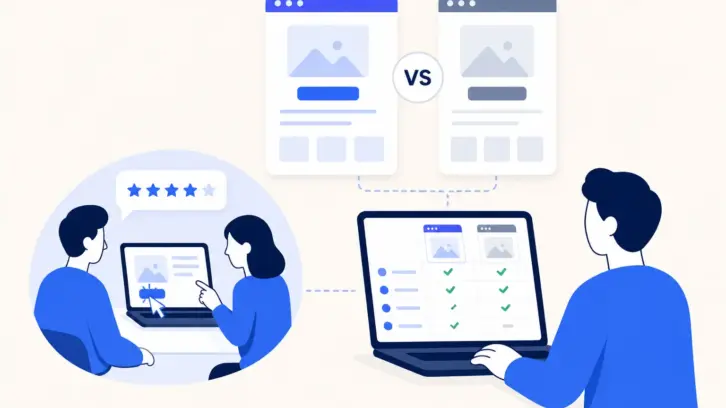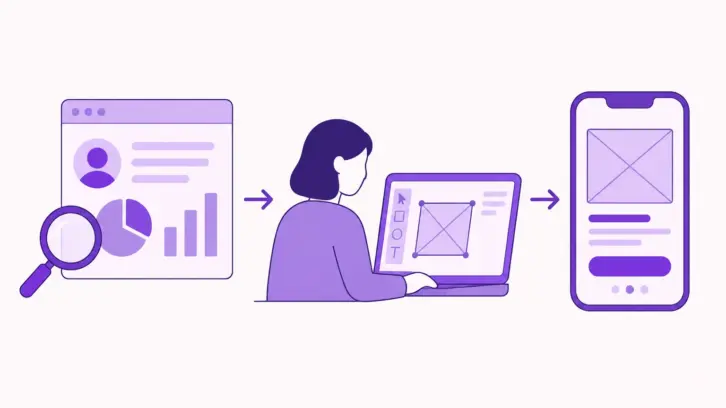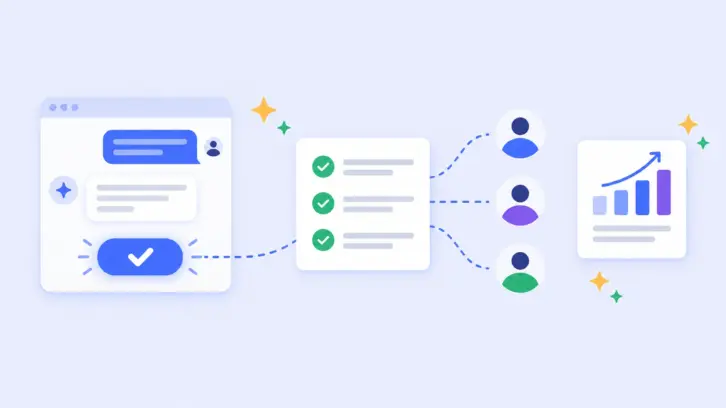

In McKinsey’s State of AI 2025 survey, 88% of organizations reported regularly using AI usability testing tools in at least one business function, up from 78% a year earlier. UX teams are part of that shift, so the question is no longer whether to use AI, but where it adds real value and where human judgment still matters.
AI tools for usability testing can assist with study creation, participant screening, transcription, sentiment analysis, behavioral pattern detection, theme clustering, reporting, and prototype preparation. These capabilities help UX researchers review larger volumes of feedback while preserving the human judgment required to interpret context and prioritize product decisions.
For UX researchers, designers, product managers and marketers, AI can reduce repetitive work such as transcription, first-pass tagging, session summarization and report preparation. However, AI-generated usability insights should still be reviewed by a researcher because automated analysis may miss context, contradictions and subtle behavioral signals.
This guide compares popular AI-powered usability testing tools and explains what each tool is best suited for, from session analysis and behavioral data to prototype feedback, accessibility testing, and participant recruitment.
- AI makes usability testing faster. Automate study planning, recruitment, analysis, and reporting.
- Choose tools based on your research needs. Different platforms focus on analysis, behavior or prototyping.
- Analyze more data in less time. AI can quickly process transcripts, recordings, feedback, and task data.
- Keep researchers in the loop. AI finds patterns, but human judgment validates what they mean.
- Look beyond the AI label. Compare participant access, research methods, data coverage, AI capabilities, and pricing.
- Real users still matter most. Use AI to scale research, not to replace real-world user testing.
What’s Driving the Shift to AI-powered Usability Testing?
Usability testing can produce recordings, transcripts, task metrics, survey responses, behavioral data and researcher notes. AI-powered usability testing helps organize and analyze this material so researchers can spend less time on repetitive processing and more time interpreting findings.
Why does this matter? Usability testing has always been limited by how much evidence a single researcher can realistically process. As teams run more studies across more surfaces, the volume of recordings, transcripts and open-ended responses quickly outpaces manual analysis, and insights often arrive too late to influence a design decision.
AI can shorten the path from raw sessions to usable evidence by helping researchers prepare studies, process recordings, identify recurring patterns and connect findings to supporting evidence. This is especially valuable when testing AI-powered products, where user expectations, trust, error recovery and perceived control can change from one interaction to the next. AI can help researchers scale the analysis, but real users still provide the evidence needed to understand whether people actually trust, understand and can successfully use the experience.
What can AI automate in usability testing?
AI can streamline several time-consuming parts of the usability testing process:
- Automating time-consuming research tasks: AI can help draft research questions, usability tasks, interview guides, and screening questions, reducing the manual effort required to prepare a study.
- Making prototypes faster to create: AI can turn ideas, screenshots, or sketches into testable designs, helping teams move from concept to prototype more quickly.
- Speeding up participant recruitment: AI can help define target audiences, create screening questions, and organize participant responses, making it easier to identify suitable participants.
- Significantly shortening time spent in analysis: Gone are the days of sifting through hours of recordings or reading pages of user feedback. AI can process massive datasets in minutes, giving you actionable insights almost instantly.
- Providing real-time insights and automated reporting: AI tools now generate heatmaps, summaries, and trend analyses in real time, empowering teams to make decisions faster.
- Reducing human bias in research: AI delivers objective findings, ensuring insights are driven by data and not just subjective interpretations or assumptions.
AI tools are also designed to address common research bottlenecks. For example, teams may struggle to make sense of raw user feedback when responses are large, repetitive or contradictory. UXArmy’s AI-powered summary and sentiment analysis can categorize feedback into themes, identify emotional tone and surface key takeaways, giving researchers a faster starting point for deeper analysis.
The value of AI is therefore not simply that it makes usability testing faster. It helps researchers handle more evidence, identify patterns earlier and spend more time on the interpretation and product decisions that require human judgment.
AI doesn’t replace usability testing it changes where researchers spend their time.
AI Trends Shaping Usability Testing in 2026
AI usability testing is moving beyond transcription and automated summaries. Newer workflows are using AI agents, multimodal analysis, and evidence-linked insights to make research faster, more scalable, and easier to validate.
1. AI agents and MCP are connecting the research workflow
- How it works: AI agents can connect to research tools through MCP(Model Context Protocol). They can help set up studies, retrieve research data, and analyze findings without researchers switching between tools.
- Benefits: Reduces repetitive setup and analysis work. Keeps research data and workflows connected. However, human oversight remains critical for governance, compliance and strategic quality decisions.
Example: An AI agent turns a research brief into a test plan, sets up study questions, and later analyzes the completed responses.
UXArmy’s MCP server is a working example. Connected to Claude, ChatGPT, Gemini CLI or Cursor, it lets an assistant build a study from your notes, recruit from UXArmy’s own participant panel, launch it once you approve, and summarise the results. Many research MCP servers only read past research. In a hands-on test, Claude cut a 54-item study down to 22 items and waited for a “launch it” before spending any credits. Read the full walkthrough: Claude MCP with UXArmy.
2. AI-moderated research at scale
- How it works: AI can moderate research sessions by asking questions, adapting follow-ups, and guiding participants through tasks without a human moderator present.
- Benefits: Enables teams to run more research sessions at the same time. Reduces the effort needed to moderate repetitive studies.
Example: An AI moderator asks participants to complete a prototype task, follows up when they encounter an issue, and captures their feedback across hundreds of sessions.
3. AI-generated insights are becoming more evidence-linked
- How it works: AI can connect insights to the evidence behind them, such as participant responses, quotes, recordings, or timestamps.
- Benefits: Makes AI-generated findings easier to verify. Helps researchers distinguish evidence from AI interpretation.
Example: Instead of only reporting that users struggled with navigation, an AI tool highlights the finding and links it to the relevant participant quotes and session timestamps.
4. Synthetic users are emerging for early-stage usability testing
- How it works: AI-generated personas can interact with early prototypes and provide simulated feedback before testing with real users.
- Benefits: Provides fast, low-cost feedback during early design exploration. Helps teams identify obvious usability issues before recruiting participants.
Example: A team could test several prototype concepts with synthetic users, then take the strongest concepts into testing with real participants.
⚠️Important caveat: Synthetic users should complement, not replace testing with real users when you need evidence from your target audience.
5. Multimodal feedback is making usability analysis more comprehensive
- How it works: AI can analyze different types of user data, including clicks, text, audio, video, facial expressions, and sentiment.
- Benefits: Gives researchers a more complete view of the user experience. Helps identify patterns that may not be visible from a single data source.
Example: An AI tool could combine a participant’s task behavior, spoken feedback, and facial expressions to identify moments of confusion or frustration during a usability test.
These developments show how AI can transform usability testing, not just by automating individual tasks, but by helping teams run more research, analyze more data, and uncover insights faster. The result is a more scalable research process that gives teams more time to focus on what matters most: understanding users and improving the product.
How to Use AI in the Usability Testing Workflow
AI can support researchers across the usability testing workflow, from planning a study to validating findings. The goal is to automate repetitive work without handing over research judgment to the AI.
| Stage | Where AI supports researchers |
|---|---|
| Plan the study | Draft research questions, usability tasks and interview guides. AI can also review wording for ambiguity or leading questions. |
| Recruit participants | Suggest audience criteria, generate screening questions and organize participant responses. Platforms also use matching and filtering to surface suitable candidates. |
| Conduct the test | Generates follow-up questions during unmoderated studies, or transcribes moderated sessions in real time. |
| Analyze findings | Transcribe recordings, summarize sessions, classify sentiment, identify recurring themes, flag important moments, and connect findings to quotes, clips or timestamps. |
| Validate and report | Help draft summaries and reports, while researchers verify AI-generated findings against recordings, task-performance data and participant feedback before recommending product changes. |
For a broader methodology guide, read how to use AI for UX research.
AI Usability Testing Tools Compared
To make it easier for teams to choose the right tool, we’ve grouped the leading AI-enabled tools by the part of the usability workflow they support: research analysis and reporting, behavioral analysis, visual feedback and prototyping. Some tools span more than one category, so the grouping reflects their strongest use case rather than a strict product boundary.
Here’s how each type of tool can transform your workflow.
AI Tools for Usability Testing Analysis and Reports
These tools help researchers analyze research data and turn sessions or responses into summaries and reports.
1. Lookback.io
- Automatic transcription: Converts interviews and test sessions into searchable transcripts.
- Keyword tagging: Lookback AI, Eureka identifies recurring words and phrases to highlight user priorities.
- Summary generation: Delivers concise takeaways, emphasizing critical usability issues.
- Real-time collaboration: Teams can annotate and share findings during live sessions.
2. Maze
- Session analysis: Maze AI identifies patterns in how users interact with prototypes or live sites.
- Customizable insights: Summarizes key findings based on metrics such as task completion rates and drop-off points.
- Automated reporting: Generates visual reports for presentations or stakeholder reviews.
- Quick trends: Highlights recurring user behaviors, such as confusion or ease of navigation through open-ended questions.
3. UXArmy
UXArmy combines remote usability testing, participant recruitment, session recordings, AI-assisted analysis, and an MCP server that lets AI assistants such as Claude run studies for you.
- Comprehensive response summaries: UXArmy’s AI summary with sentiment analysis generates swift overviews of user feedback across all participants, enabling quick assimilation of test results.
- Automated sentiment analysis: Classifies feedback into Positive, Neutral, or Negative categories, providing immediate insights into user sentiments.
- Highlighted key findings with timestamps: Identifies significant insights, accompanied by direct quotes and timestamps, facilitating easy validation and deeper analysis.
- Dual-level summarization: Offers summaries at both the test overview level for aggregated insights and the individual response level for detailed participant feedback, ensuring a comprehensive understanding of user experiences.
- Run studies from your AI assistant: The UXArmy MCP server lets Claude, ChatGPT, Gemini CLI or Cursor build a study, recruit from UXArmy’s panel, launch it after you approve, and summarise the results. It is available on every plan, including Free; launching a study uses credits. ChatGPT write actions need a Business, Enterprise or Edu plan. See it in action with Claude.
4. Lyssna
- AI-generated transcriptions: Converts moderated interview recordings into searchable transcripts to reduce manual note-taking.
- AI summaries for interviews: Helps researchers review moderated sessions faster by turning recordings into concise summaries.
- AI follow-up questions: Lyssna supports AI-assisted follow-up behavior in studies, helping researchers explore responses in greater depth.
- Broad usability methods: Supports prototype, click, five-second, preference, navigation, card-sort, tree-test and live-website studies, making it useful when teams need to combine qualitative and quantitative usability methods.
5. Useberry
- AI-assisted analysis: Useberry uses AI to analyze and summarize user feedback and test-session data, helping researchers identify patterns faster.
- Behavioral analysis: Click tracking, heatmaps, user flows, recordings and task metrics provide the evidence layer for identifying friction and usability issues.
- AI-assisted open-ended feedback analysis: AI can summarize and analyze qualitative responses and sentiment in research results.
- Broad testing coverage: Supports first-click, five-second, preference, card-sort, tree-test, single-task, open-analytics, website and prototype testing.
6. PlaybookUX
- AI executive reports: Generates executive summaries using study details, participant demographics and transcripts, with key themes, participant quotes and suggested next steps.
- AI task summaries: Analyzes verbal, written and behavioral data for individual tasks, identifying recurring themes, sentiment and outlier responses.
- AI follow-up questions: Generates context-aware follow-up questions during sessions to capture deeper responses.
- AI study-script and question checks: Helps generate study scripts and screeners and flags common research-quality issues such as leading questions, vague options and missing response choices.
7. Userbrain
- AI-generated test tasks: Creates usability-test tasks from a description of a website, app or prototype, which researchers can edit before launch.
- AI-enhanced transcripts: Turns user-test videos into searchable transcripts so researchers can quickly find quotes and observations.
- AI clips and annotations: Identifies important moments, adds time-stamped notes, labels and sentiment, and turns key moments into shareable clips.
- Automated insights and summaries: Finds recurring usability issues, user confusion, positive and negative feedback, and other patterns across tests, then generates presentation-ready summaries.
Tools for Automating Behavioral Analysis
These tools analyze how users interact with websites and applications, including clicks, scroll depth, navigation paths, repeated actions, errors and drop-off points. This behavioral data can complement AI user testing conducted with moderated or unmoderated participants.
8. Ballpark HQ
- AI study creation: Ballpark’s Coach can turn a research goal written in plain language into a draft study, including questions and tasks that researchers can then edit.
- AI-generated insights reports: Insights Report combines participant responses, task data and video feedback into a shareable report with findings, supporting clips, charts and citations.
- Conversational analysis with Coach: Researchers can ask follow-up questions about survey responses, interview transcripts or usability-test results and get analysis grounded in the study data.
- AI-moderated interviews: Ballpark supports AI Interviews for structured qualitative research at greater scale, while still allowing researchers to review the resulting evidence.
- Behavior and task analysis: Ballpark captures clicks, paths, task performance and recordings, giving AI analysis richer behavioral context to work with.
9. UXtweak
- AI video insights: AI can summarize moderated sessions and organize recordings into timestamped chapters with key takeaways.
- AI-assisted qualitative analysis: AI-supported summaries and pattern identification can reduce the manual effort needed to synthesize interviews and moderated research.
- Behavior and usability analytics: Website and prototype testing combines recordings with task behavior, while card sorting and tree testing help analyze information architecture.
- Centralized research data: Transcripts, recordings and AI-generated summaries can be kept together for easier review and sharing.
10. FullStory
- Automated Data Categorization: AI-driven processes categorize user interactions for efficient analysis.
- Semantic Labeling: AI assigns semantic labels to web components, enhancing the understanding of user interactions.
- Integration with Generative AI: FullStory works with Google Cloud generative AI capabilities to provide additional insights.
- Data Direct Platform: This platform automates the collection, synchronization, and cleaning of structured, AI-ready behavioral data, supporting enterprise AI initiatives.
11. Userlytics
- AI insights: A conversational research assistant summarizes study results and answers questions using the study’s goals, sessions, transcripts and annotations, with links back to the supporting evidence.
- AI annotations: Automatically identifies key moments, sentiment patterns and usability friction, then creates timestamped annotations and highlight reels that researchers can edit or remove.
- AI chart summaries: Interprets quantitative results such as ratings, write-in responses and NPS scores to surface patterns and polarization.
- Automated transcription and translation: Transcribes sessions in up to 36 languages and can translate transcripts for global research.
- Video and sentiment analysis: Brings transcripts, activities, sentiment and annotations together on a shared timeline so researchers can quickly locate important moments.
12. UserTesting / UserZoom
- Audience matching: AI filters participants based on demographics, behaviors, and preferences.
- Automated curation: Finds relevant participants for specific tests in seconds.
- Screening question optimization: AI refines screening questions to ensure ideal participant selection.
- Diversity monitoring: Ensures a diverse mix of participants for inclusive testing.
Tools for Visual Feedback and Prototypes

These tools analyze prototype usability and gather AI-generated design feedback.
13. Figma
- First draft with Figma agent: Generates editable wireframes or high-fidelity screens from a text prompt, pulling from your connected design system or Figma’s built-in UI kit as a starting point for exploration.
- Figma Make: Turns a prompt into an interactive prototype (and working code) so teams can test concepts with users instead of debating them in meetings.
- AI-assisted prototyping: Infers and proposes interactions between frames, giving you a working prototype to refine rather than wiring every connection by hand.
- Visual search and content fill: Finds related components or designs from a screenshot or description, and replaces placeholder text and images with realistic content for more testable prototypes.
14. Uizard
- Autodesigner 2.0: AI generates multi-screen, editable prototypes from simple text prompts, enabling rapid ideation and iteration.
- Screenshot Scanner: Transforms screenshots of existing apps or websites into editable mockups, facilitating quick adaptation and customization.
- Wireframe Scanner: Converts hand-drawn sketches into digital designs, bridging the gap between initial concepts and digital prototypes.
- Text Assistant: Assists in generating design text, enhancing content creation within prototypes.
By focusing on these AI-powered features, each tool in this list addresses specific challenges of usability testing, allowing teams to save time, boost efficiency, and deliver better user experiences.
How to Choose an AI Usability Testing Tool
There is no single “best” AI usability testing tool. The right choice depends on what you need to learn, how you plan to test it, and how much of the research process you want the platform to handle.
Why does the choice of tool matter?
Different usability tools produce different kinds of evidence. A behavior analytics platform can show where users click, hesitate or leave, while a task-based usability test can show whether users can complete a specific flow. Qualitative research can go one step further by revealing what users expected, misunderstood or found frustrating.
AI adds another layer to this decision. Some platforms use AI mainly to summarize and analyze research data. Others use it earlier in the workflow to create studies, recruit participants or moderate sessions. Choosing a tool based only on whether it has “AI” can therefore lead to a poor fit. Instead, consider what kind of evidence you need and where AI can make the biggest difference in your workflow.
What should you look for?
Use these five criteria to compare tools:
- Participant access: Does the platform provide a participant panel, or will your team need to recruit participants independently? A built-in panel can make it easier to run studies quickly, while bringing your own participants may be preferable when you need to test with existing customers or a very specific audience.
- AI’s role in the research: Look beyond the presence of an AI feature. Does AI only summarize results after a study, or can it help create the study, ask follow-up questions, identify important moments and support analysis? The level of automation you need should depend on where your team spends the most manual effort.
- Experience and data coverage: Check whether the platform supports the products and inputs you need to test, such as Figma prototypes, websites, mobile apps, screen recordings, audio, video, surveys or behavioral data. A platform that fits your current workflow but lacks an important modality can become restrictive later.
- Research methods: Make sure the tool supports the methods your team uses most often. Depending on your needs, that could include moderated or unmoderated usability testing, interviews, prototype testing, surveys, card sorting, tree testing or behavioral analytics. Some platforms are specialists; others cover several methods.
- Pricing and scalability: Compare how you actually expect to use the tool rather than looking only at the headline price. Platforms may charge by study, participant, response, seat, subscription or annual contract. A flexible pricing model can work better for teams with irregular research needs, while predictable contracts may suit teams running studies continuously.
A practical way to compare tools
Once you understand your requirements, map them against the type of research you need to run:
| If your main need is… | Prioritize tools that offer… |
|---|---|
| Rapid prototype validation | Prototype testing, task metrics and quick unmoderated studies |
| Understanding the reasons behind user behavior | Moderated research, AI moderation or strong qualitative analysis |
| Finding behavior patterns on a live product | Heatmaps, session recordings, click paths and behavioral analytics |
| Testing with a specific audience | Participant panels, detailed screening and audience targeting |
| Running several research methods | A broad methodology set rather than a single test type |
| Reducing analysis time | Transcription, summaries, theme detection, annotations and evidence-linked insights |
| Running research at different scales | Pricing and participant models that can flex with study volume |
| Running studies from an AI assistant | An MCP server that can create, recruit for and launch studies, not only read past research; an approval step before anything launches; clear credit controls |
The goal is not to find the tool with the longest feature list. It is to find the platform that gives your team the right evidence with the least unnecessary effort.
If your team already works in Claude or ChatGPT, an MCP server can chain several of these stages in one conversation. With UXArmy, the assistant plans the study, recruits from the panel, waits for your approval to launch, then summarises the results (walkthrough).
Start AI-Powered Usability Testing with Real Users
If you’re evaluating UXArmy against the criteria above, here’s where it fits:
- Participant access: Access UXArmy’s participant panel or bring your own participants.
- AI capabilities: Use AI summaries, sentiment analysis and key findings to speed up research analysis.
- Experience coverage: Test websites, mobile apps and prototypes across multiple research methods.
- Research-method fit: Run both moderated and unmoderated studies, depending on your research needs.
- Pricing and flexibility: Choose from free and paid plans, with additional participant and response options as needed.
Where UXArmy fits best: UXArmy is a good fit for teams that want real-user testing and AI-assisted analysis in one workflow, while keeping researchers in control of the final interpretation.
FAQs on AI Tools for Usability Testing
Why is AI exploding in usability testing now?
AI cuts hours of manual analysis into minutes, summarizes patterns across sessions, and reduces first-pass manual effort, so teams ship better UX faster. Adoption reflects this: in a Nielsen Norman Group survey of 841 UX professionals, 92% said they had used at least one generative AI tool, and among those using AI for work, 63% reached for it several times a week or more.
What’s the biggest benefit of using AI in UX research?
Automation plus insight density: instant transcripts, theme clustering, sentiment analysis, and auto-reports that turn raw sessions into decisions.
Are there AI tools for usability testing?
Yes. Tools such as UXArmy, Maze, UserTesting, Lookback, Lyssna, Userbrain and PlaybookUX use AI to support different parts of the usability testing workflow, including prototype testing, participant recruitment, session analysis, behavioral analysis, transcription, and reporting.
Can an AI assistant like Claude run a usability test?
Yes, with a human in the loop. Through the UXArmy MCP server, Claude (and ChatGPT, Gemini CLI or Cursor) can build a usability study from your notes, recruit participants from UXArmy’s panel, launch it after you approve, and summarise the results. Nothing launches or spends credits until you say so. In ChatGPT, creating or launching studies needs a Business, Enterprise or Edu plan. Read the hands-on walkthrough.
How quickly can AI usability testing platforms deliver actionable insights?
Some platforms can generate transcripts, summaries, sentiment categories and initial themes within minutes after a session is processed. The complete research timeline still depends on recruitment, study length, sample size and researcher validation.
Are AI summaries accurate enough to trust?
They’re excellent for triage and patterns. Keep a human-in-the-loop for nuance, ethics, edge cases, and product judgment (especially for high-stakes flows).
Which AI tools help analyze usability testing sessions?
UXArmy, Maze, UserTesting, Lookback, Userlytics, PlaybookUX, and Userbrain can use AI to help analyze usability research data, including transcripts, participant feedback, session recordings, themes, and summaries. Other tools, such as Ballpark HQ, FullStory, Useberry, UXtweak and Lyssna, combine behavioral data, recordings, surveys or specific usability-testing methods with AI-assisted analysis.
What tools can automatically identify recurring usability themes?
Several AI research platforms can group participant feedback into recurring topics or themes. Researchers should review automated themes against transcripts, participant quotes and recordings before using them to prioritize product changes.
How do you conduct usability testing for generative AI products?
Use realistic, goal-based tasks and observe whether participants understand, trust, verify, edit and recover from AI-generated outputs. Evaluate user control, transparency, error recovery and perceived usefulness alongside conventional usability measures.