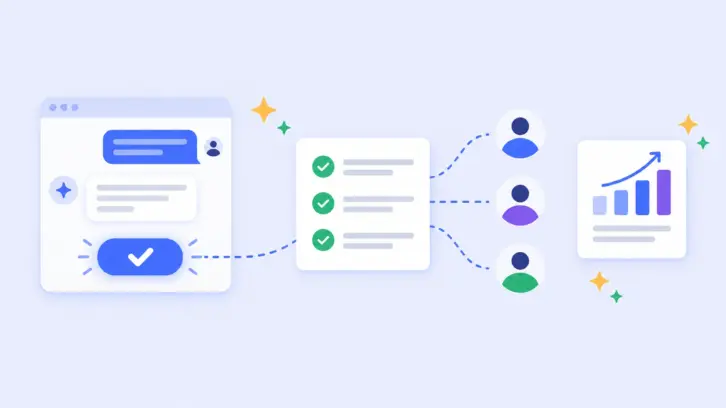

Not every usability testing platform is built for exactly the same needs. You might want to test a Figma prototype with five users, observe customers using a live website or mobile app, run a moderated usability test, or collect usability feedback from hundreds of participants. The tool that works well for one of these scenarios may be a poor fit for another.
- There is no one-size-fits-all usability testing tool: The right choice depends on what you need to test, who you need to test with, and how your team works with research data.
- The real value of a platform is productivity: It pulls participant recruitment, testing, and analysis into one place, so teams move from question to insight faster. Team members not specialised in research can run usability testing.
- When comparing platforms, look beyond feature counts: Consider research-method coverage, product-stage fit, AI capabilities, participant access, integrations, accessibility, security, pricing, and scalability.
- Judge user panels on quality, not size: A smaller, well-screened panel can beat a large generic one. An online survey panelist is simply not used to doing usability testing with think aloud and that’s a real limitation.
- Decide with evidence: Shortlist two or three, run a real pilot study in a free trial, and let the results help you choose.
💡Remember this: Every design decision you make without watching a user is based on an assumption. Usability testing is how you build evidence-based bets.
What is usability testing & why does it matter? 
Before we dwell on platform selection, let’s do a short recap of what usability testing is. Usability testing is a UX research method that helps teams evaluate how easily users can complete tasks with a product, website, app, or prototype. It reveals where people get stuck, what causes confusion, and which parts of an experience need improvement. If you are new to running one, our step-by-step guide to running usability tests walks through the basics.
With dozens of platforms offering different combinations of usability testing methods, choosing one is harder than it looks. Some tools are built for quick prototype tests, others for capturing live product experience issues, and some for conducting online interviews sessions designed for usability testing, etc. The pricing doesn’t compare cleanly across them.
This guide walks you through the criteria that actually matter, then compares the leading platforms against them, so you can go from a long list to a confident pick.
Why use a usability testing platform?
The short answer is productivity. A platform pulls recruiting, scheduling, recording, note-taking, and analysis into one place, so you spend less time wrangling tools and more time acting on what you learn. Work that used to take a week of manual setup and hand-synthesis can now run in days.
That speed compounds. You can validate a design before it reaches engineering, settle debates with evidence instead of opinion, and turn testing into a habit rather than a one-off scramble. Because the workflow is simpler, more team members can run usability studies, not just a lone specialist. That is how research helps product teams make faster, evidence-based decisions and reaches the whole team instead of staying with a few people.
The payoff also shows up in what you avoid: rework, wrong bets, and features nobody uses. The question is not whether to use a platform, but which one fits how your team works.
Framework to evaluate usability testing platforms
Treat usability tool selection as a structured decision, not a feature race. The framework below is the same one used to compare the tools in this guide, and you can reuse it for any platform you assess.
- Research method coverage: Check whether the platform supports the methods your team uses today and is likely to need next, including moderated, unmoderated, prototype, survey, task-based, and qualitative research. If you are unsure which methods you need, start with our guides on moderated vs unmoderated testing and choosing the right research methods.
- Test limits and platform flexibility: Evaluate constraints that could bottleneck your research. Look closely at limits on the number of tests you can run, maximum session recording durations, and cross-device limitations (ensuring seamless support across desktop, mobile, and tablet).
- Participant recruitment and panel access: Determine whether you can recruit your own participants, access a vendor panel, target specific demographics, or combine recruitment approaches.
- AI-powered features: Assess how AI supports study creation, transcription, tagging, summarization, analysis, or reporting. Prefer workflows where researchers can review, validate, and challenge AI-generated outputs.
- Integrations and data export: Ensure the tool integrates with your design stack (Figma, Loveable, Replit), collaboration tools (Slack, Jira, FigJam, Miro) and supports clean data export (CSV or API) so insights flow into your workflow.
- Product-stage fit: Consider whether the tool works for your current stage, from early concepts and prototypes to live products and ongoing optimization.
- Security and compliance: If you are testing sensitive concepts, enterprise-grade security and data privacy compliance are non-negotiable.
- Pricing and scalability: Watch out for hidden fees per participant or rigid seat-based licenses. Ensure the pricing model scales with your team’s growth. Review the credit system as well since it varies across the usability testing platforms.
- Accessibility: Testing tools should ideally support screen readers and allow testing with differently-abled participants, in line with WCAG, the ADA, and Section 508 guidance.
Common mistakes to avoid when selecting usability testing tools
- Getting too stuck on panel size numbers rather than focusing on panel participant quality: Assuming a panel is superior just because it boasts millions of users, while ignoring demographic relevance and actual participant screening quality.
- Overbuying: Purchasing a heavy enterprise tool when your team only needs rapid, unmoderated feedback.
- Forgetting about analysis time: Choosing a tool that captures video but lacks transcription and synthesis features, leaving you with hours of manual analysis.
Prompt to find the platform that fits your usability needs
To fast-track your evaluation, copy and paste the prompt below into your favorite AI assistant (like Claude, Gemini or ChatGPT).
Just fill in the bracketed information with your team’s specific details, and let the AI build a custom evaluation matrix for you.
Act as an expert UX Research Operations Manager. I need to evaluate and select the best usability testing platform for my team.

Here is my team's context:
1. Methods we run today: [Insert current methods, e.g., unmoderated testing, surveys]
2. Methods we expect to run next year: [Insert future methods, e.g., card sorting, moderated interviews]
3. Our primary product stages: [Insert stages, e.g., early discovery, live product optimization]
4. Our top evaluation priorities: [Name your top 2-3 priorities from this list: Methodology Coverage, Product Stage Fit, AI-powered Features, Participant recruitment and panel access, Integrations and data export, Accessibility, Security and compliance, Pricing]
5. Our estimated annual testing volume: [Insert expected number of participants or studies per year]

Based on this context, please do the following:
- Recommend 2-3 specific usability testing tools that best fit our needs.
- Create a scoring matrix comparing these shortlisted tools against my stated priorities.
- Estimate the total annual cost structure for these tools, specifically highlighting any hidden participant fees based on my expected volume.
- Outline a practical, evidence-based plan for how we should run a pilot study during a free trial to make our final decision.
- Do not recommend a tool simply because it has more features. Prioritize fit with our actual research needs and expected usage.
Comparing the leading usability testing platforms
Rather than looking at tools in isolation, use this matrix to compare how the industry’s leading usability testing platforms stack up against the evaluation criteria that actually dictate value.
How we evaluated these platforms: we assessed them on research-method coverage, product-stage fit, AI capabilities, participant recruitment, integrations and data export, usage limits, accessibility, security and compliance, and pricing (last verified August 2026). AI features move quickly, so confirm current capabilities with each vendor.
| Platform | Best For | Method Coverage & Stage Fit | Panel & Recruitment | AI & Integrations | Pricing Structure |
|---|---|---|---|---|---|
| UXArmy | Complete, scalable research ecosystem | Broad coverage of remote methods, moderated & unmoderated, early concept to live product | Global panel access + Self-sourced participants | AI moderated interviews*, AI-assisted summaries & sentiment analysis | Free tier; *Paid plans; Credit system for responses |
| Maze | Fast prototype validation | Unmoderated tasks, surveys, card sorting; Ideal for design sprint stages | Panel access (paid add-on) + Self-sourced | Native Figma/Sketch integration; AI features as add-ons | Free tier; Paid plans; Panel credits billed separately |
| UserTesting | Enterprise panel research | Moderated & unmoderated video sessions at scale | Deep, global vetted panel; Advanced screening | AI-assisted analysis; High security (SOC 2, HIPAA) | Custom Enterprise only (typically high investment) |
| Lyssna | Rapid, low-cost validation | 5-second, first-click, prototype tests, surveys | Owned panel with fine-grained targeting | AI-assisted analysis | Free tier; Paid plans; Panel credits priced separately |
| Optimal Workshop | Information Architecture (IA) | Best-in-class Card sorting, tree testing, first-click | Managed recruitment via third parties | Deep analytics tuned for IA decisions | Paid plans; Limited studies on base plans |
| Userlytics | Global moderated testing | Moderated & unmoderated across web/mobile/prototypes | Global panel + Bring-your-own users | AI-assisted analysis + human review | Quote-based; Panel sessions priced separately |
| Dscout | Diary & field studies | Mobile in-the-wild, longitudinal research | Rich qualitative video/photo capture | AI-assisted tagging and synthesis | Custom Enterprise only |
| Hotjar | Live behavioral analytics | Heatmaps, session replays on live sites (Analytics tool) | N/A (Tracks live site traffic) | AI-assisted session summaries | Free tier; Paid plans |
A note on usage limits: plans differ widely on the number of tests you can run, session and recording length, and which devices you can test on. Check these before you commit, since they shape day-to-day use more than the headline price.
UXArmy, for example, supports testing on desktop, mobile, and tablet and runs long-format moderated sessions, so teams rarely hit a wall mid-study.
Conclusion
The best usability testing tool is the one that fits your usability testing needs, team size, target participants, and budget at your current stage. Early-stage teams often start with a lightweight or free option such as Lyssna, Maze or Useberry to build a testing habit without a large financial commitment. Growing and enterprise teams usually need broader coverage and scale, where an all-in-one platform such as UXArmy or a panel-heavy platform such as UserTesting earns its place.
Whatever usability platform you end up choosing, run a real study before you commit. Score your shortlist on the Evaluation framework, model the total cost including participant fees, and let the evidence decide.
Frequently asked questions
Which usability testing tools are best for prototype testing?
For prototype testing, look for two things: direct integration with your design tool such as Figma, and fast unmoderated task flows. Maze, Useberry, and UXArmy all handle interactive prototype tests well and connect to common design tools, and Lyssna adds prototype and first-click testing. Match the choice to the design tool your team already uses and the volume of testing you plan to run.
Which usability testing tools use AI?
Most modern platforms now include AI features, typically for transcription, session summaries, sentiment analysis, and theme clustering. UXArmy, Maze, UserTesting, Userlytics, Sprig, and others offer AI-assisted analysis. In every case, treat AI output as a first pass: a researcher should verify patterns and decide what the findings mean before acting on them.
How much do usability testing tools cost?
Costs range widely. Entry plans can start free or from roughly $25 to $99 per month, mid-market plans commonly run from about $165 to $999 per month, and enterprise platforms such as UserTesting and Dscout use custom pricing that can reach tens of thousands of dollars per year. Always model the total cost, including participant or panel fees, at your expected volume. Pricing in this guide was verified in August 2026 and should be re-checked before you buy.
What is the best tool for moderated versus unmoderated usability testing?
For moderated research, Userlytics, Lookback, PlaybookUX, and UXArmy all support live sessions with scheduling and recording. For unmoderated testing, Maze, Lyssna, Userbrain, and Trymata are fast and cost-effective. All-in-one platforms such as UXArmy and Userlytics handle both, which helps if your team runs a mix.
Which usability testing tools support mobile app testing?
UXArmy, UserTesting, Userlytics, Lookback, Dscout, and Loop11 all support mobile testing, including native app and mobile web studies. For in-context mobile research over time, Dscout’s diary studies are a strong fit.
Can usability testing tools test live websites?
Yes. Most tools test live sites through unmoderated tasks or moderated sessions. For behavioral data on a live site, such as heatmaps and session replay, Hotjar and UXTweak are common choices, and they pair well with a dedicated usability testing tool.
Which usability testing platform has their in-house user panel?
Platforms with curated and in-house user panels include UXArmy (on paid plans), UserTesting, and Dscout.
How do I choose a usability testing tool?
List the research methods you use now and next, map them to your product stages, then score candidates on method coverage, stage fit, AI features with human oversight, recruitment, integrations, accessibility, security, and total cost. Shortlist two or three, run a real study during a trial, and decide on the evidence rather than the feature list.